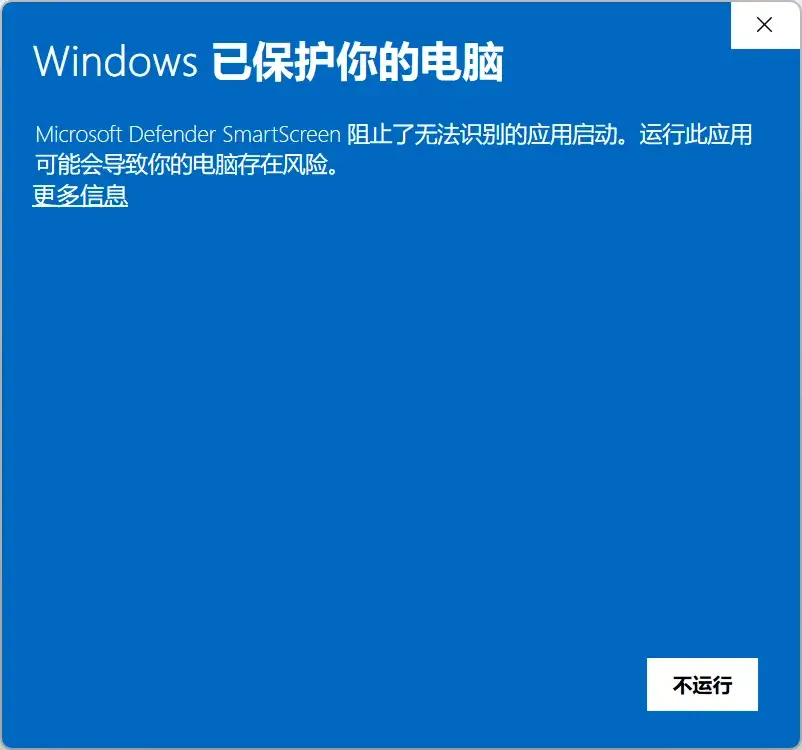
Windows says the app may be risky?
If the installer came from the official website, click “More info” and choose to run it. The installer is currently unsigned because an annual code-signing certificate is costly.
Find solutions to common issues and learn how to manage data and use key features.
If the installer came from the official website, click “More info” and choose to run it. The installer is currently unsigned because an annual code-signing certificate is costly.
Installed Dawn Launcher 1 / 2: the %APPDATA%\Dawn Launcher folder.
Installed Dawn 3: the %APPDATA%\Dawn Launcher 3 Data folder.
Installed Dawn 3 Pro: the %APPDATA%\Dawn Launcher 3 Pro Data folder.
Portable editions of all versions: the data folder in the application directory.
Dawn 1 / 2: open Backup/Restore Data from the top-right menu.
Dawn 3: use Tools → Data in the top-right menu to back up or restore data.
Restore a Dawn 1 / 2 backup directly in Dawn 3 Free or Dawn 3 Pro; importing into Free first is unnecessary. To move from Dawn 3 Free to Pro, back up in Free and restore in Pro.
View the data migration guide →For a routine update within the same edition, install the new installed version over the old one; existing data is unaffected.
For the portable edition, back up the data folder and move it into the extracted new version. Use the migration guide when changing editions or moving to Pro.
View the data migration guide →Run Dawn Launcher as a non-administrator.
Join QQ group 369652112 for a faster response, or email DawnLauncher@163.com.